

Reviewed by our editorial team Updated
Why Hiking Apps Are a Must for Outdoor Adventures
Heading into the outdoors today is no longer just about sturdy boots, waterproof layers, and a folded paper map in your rucksack. Hiking apps have fundamentally changed the way people explore mountains, forests, valleys, and national parks, combining GPS precision with topographic detail, contour lines, and elevation data that a general-purpose map app cannot match. Offline mapping has been one of the biggest developments here, letting hikers download entire regions in advance and keep full map access deep in the backcountry, long after mobile signal has disappeared.
These apps have also built a strong social layer around outdoor exploration. Platforms such as AllTrails and Wikiloc let users upload routes, trail reports, and photos, creating global libraries of real-world experience that help newcomers approach unfamiliar landscapes with more confidence. Safety benefits run alongside this. Weather overlays, route alerts, land boundary information, and live location sharing give hikers better awareness of the risks around them, while some tools flag private land, protected conservation areas, or exposed terrain before you get there.
Beyond safety, these tools make the outdoors more rewarding to explore. Features such as 3D terrain views, peak identification, and points of interest help hikers understand the landscape rather than simply follow a line on a screen. For beginners, that structure builds confidence; for experienced trekkers, it adds precision and richer insight. Used well, a good hiking app blends navigation, community knowledge, and safety awareness into one dependable companion, which is exactly why the apps below have become essential kit for modern hikers.
AllTrails
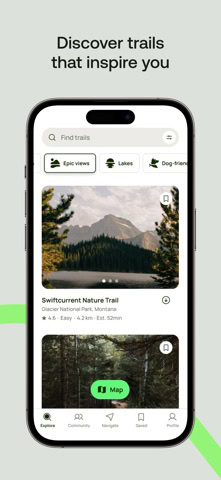
AllTrails is arguably the most recognisable hiking app in the world, and its popularity is no accident. Trusted by millions of walkers, hikers, and trekkers, it has built its reputation on combining a huge global trail database with strong community content and a user-friendly interface. For many people, it is the first app they download when they begin using digital tools for outdoor exploration, and for good reason.
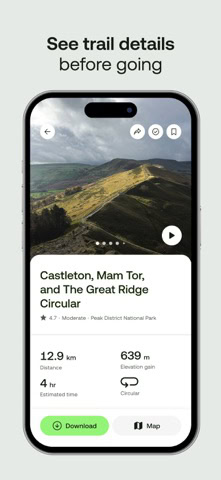
At the centre of the app is a library of more than 500,000 trails worldwide, making it one of the most comprehensive trail-discovery platforms available. This scale allows users to find hikes almost anywhere, from major national parks to lesser-known local walking routes. The search and filtering system is one of the app’s strongest assets. Hikers can refine options by distance, difficulty, elevation gain, route type, and community rating, which makes it much easier to match a trail to available time, energy level, and walking experience.
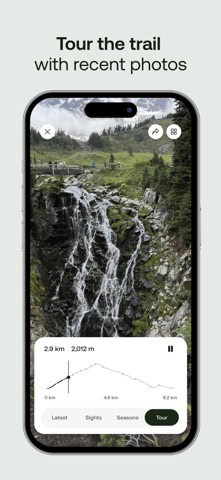
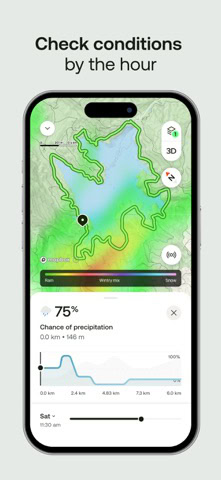
The community element is what gives AllTrails much of its real-world value. Hikers regularly upload photos, route reviews, recent conditions, and practical observations, helping others judge whether a route is muddy, crowded, snow-covered, scenic, family-friendly, or more demanding than the official description suggests.
This turns the app into a constantly refreshed outdoor guide rather than just a static library of route lines. Whether you are planning a hike in Yosemite, the Lake District, the Dolomites, or near your own home, that stream of shared experience adds confidence and context.
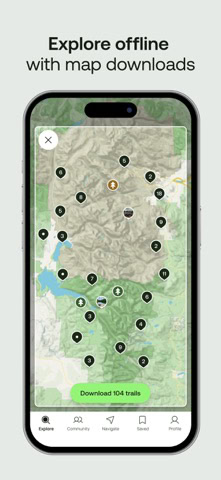
Offline access is one of the app’s most important practical features. Through AllTrails+, users can download maps in advance and continue to navigate using GPS even when there is no mobile signal. For many hikers, this is what makes the app truly useful in remote settings. It shifts AllTrails from being a planning and discovery tool into a navigation aid that can also support safer route-following on the ground.
The app also integrates well with smartwatches and wearable devices, allowing for more hands-free use and easier tracking of progress while moving. That adds convenience, particularly for hikers who do not want to keep checking their phone at every junction.
AllTrails is best suited to hikers who want a global, community-driven platform that makes discovering trails easy and enjoyable, especially if they value reviews and shared photos as much as formal route data. It is highly accessible for beginners, yet still useful enough for more experienced users when paired with offline maps and route downloads.
Its limitations are worth noting. Offline maps require a subscription, and some of the more advanced features sit behind the premium tier. That means the free version is excellent for browsing and basic planning, but those wanting stronger field functionality will likely need to pay.
Even with that, AllTrails remains one of the strongest all-round navigation apps available, particularly for users who want a balance of route discovery, community insight, and straightforward navigation support.


App availability and prices vary by country. Some of these may not appear in your local App Store or Google Play.
Best for a short trip. Compare rooms by neighbourhood, price and guest rating before you book.
Compare hotelsBest for groups who want one address and separate bedrooms rather than three hotel rooms.
See holiday homesBest for double-checking. Runs the same search across several booking sites so you are not leaving money behind.
Compare pricesWikiloc
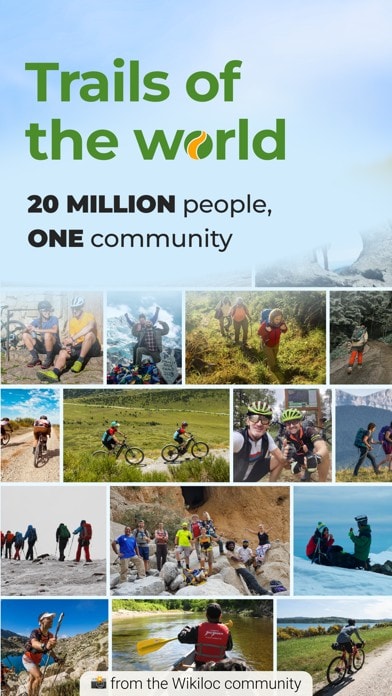
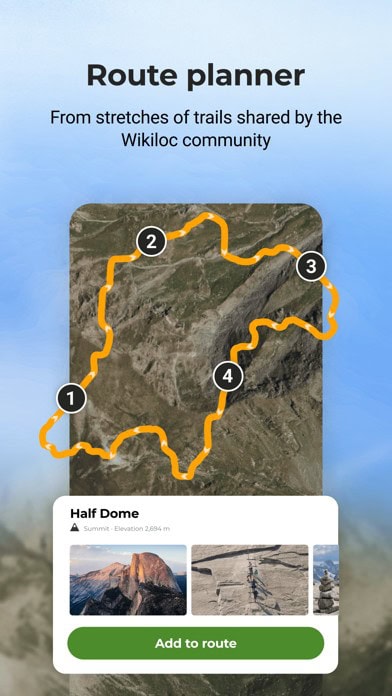
Wikiloc is one of the most wide-ranging trekking apps in the world, and its greatest strength lies in the sheer scale and diversity of its user-generated route database. With more than 38 million routes uploaded by over 11 million users, it offers extraordinary global coverage and is especially valuable in places where bigger-name apps can feel patchy or overly focused on major tourist regions.
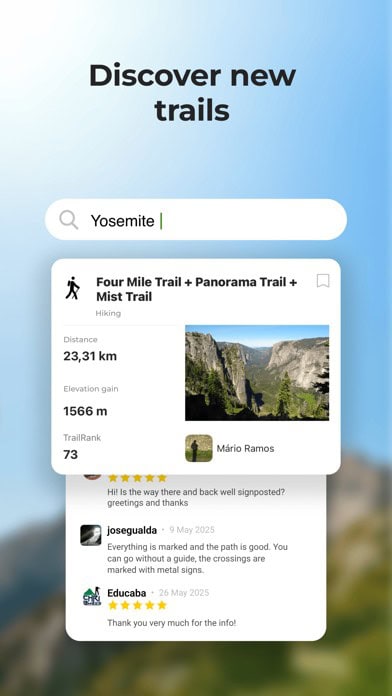
What makes Wikiloc stand out is not just volume, but range. Because so many of its routes are community-uploaded, the platform often shines in less-documented areas across South America, Asia, and Africa, where more commercial trail databases can be thinner. For hikers travelling internationally or looking for routes beyond the most obvious destinations, that can make Wikiloc an exceptionally useful discovery tool.
Another major advantage is accessibility. The app supports more than 20 languages, which gives it a reach that goes far beyond English-speaking hiking communities. This multilingual design makes Wikiloc one of the more inclusive outdoor platforms for international travellers, and it often results in trail information that feels more locally grounded rather than filtered only through global tourism markets.
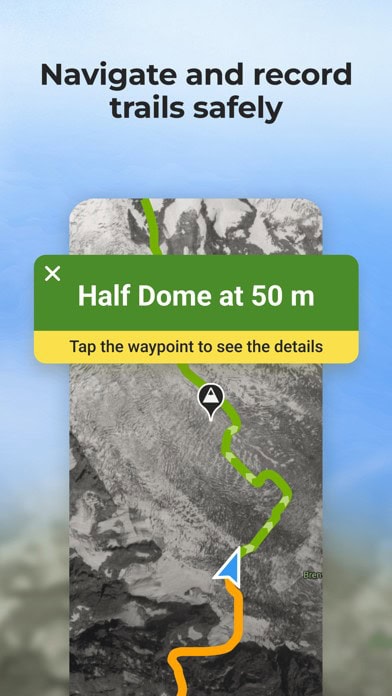
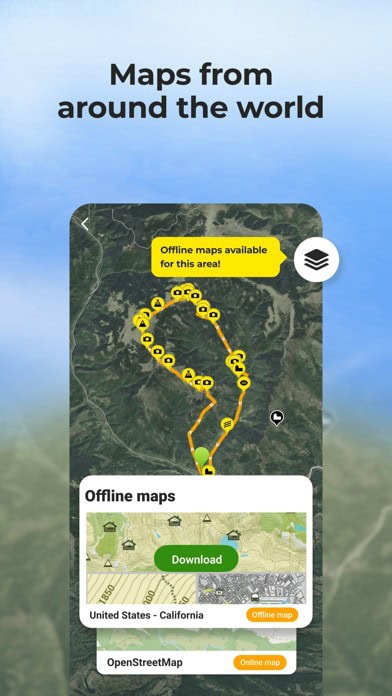
Wikiloc is also strong when it comes to flexibility of route use. Users can download GPS tracks, use them offline on a phone, or export them to devices such as Garmin units, which makes the app useful for both casual hikers and more gear-heavy trekkers who prefer to work across multiple devices. This flexibility is one reason the app has remained popular with experienced users who value direct control over route files.
Safety features are part of the package too. The app offers live tracking tools, allowing friends or family to follow a hike in real time. For solo hikers or those tackling longer routes, this adds an extra layer of reassurance without overly complicating the user experience.
Where Wikiloc is slightly weaker is in polish. Compared with AllTrails, the interface can feel less refined and a little less intuitive, especially for first-time users. Some of its better safety and premium tools are also locked behind a subscription, which means not every user gets the full benefit straight away.
Even so, Wikiloc remains one of the strongest all-round apps for global route variety, particularly for travellers heading into regions where the best information often comes from real users rather than formal trail catalogues. For adventurous hikers who value breadth, multilingual usability, and strong route coverage beyond the obvious, it is an outstanding tool.


App availability and prices vary by country. Some of these may not appear in your local App Store or Google Play.
Gaia GPS
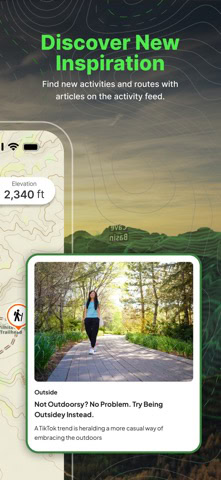
Gaia GPS is one of the most powerful outdoor navigation tools available for serious trekkers, backcountry travellers, and anyone who needs detailed terrain information rather than just basic trail discovery. While some apps are built primarily around community route sharing, Gaia GPS is fundamentally a mapping and navigation platform, designed for people who want precision, layered data, and dependable offline performance in remote environments.
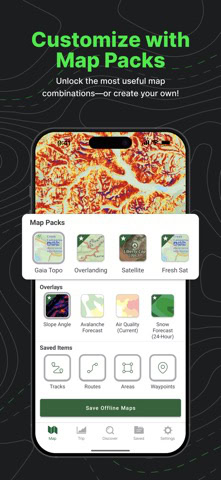
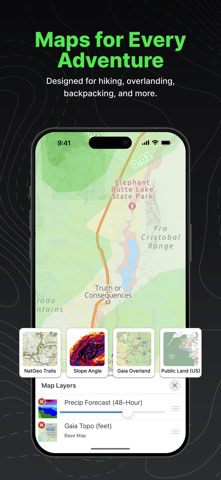
Its biggest strength is depth of mapping. Gaia GPS offers access to multiple topographic and specialist overlays, including USGS maps, National Geographic Trails Illustrated maps, satellite imagery, public land boundaries, and other terrain-focused layers. This gives hikers a much richer understanding of the landscape than a standard route line can provide. You can assess steepness, identify ridges and valleys, examine trail approaches, and judge whether a route is realistic before you even leave home.
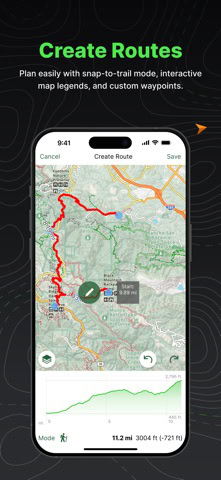
That makes Gaia GPS especially useful for longer, more complex, or more remote hikes. Instead of simply following where others have gone, users can plan routes in advance, calculate elevation gain, estimate distance, and evaluate the terrain in detail. For backcountry walkers, mountaineers, and wilderness travellers, that level of preparation can make a major difference.
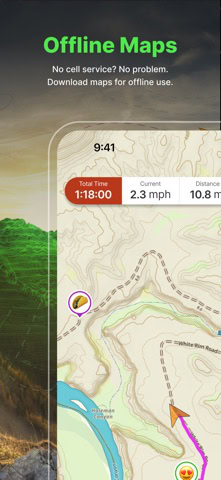
Offline capability is another core reason why the app is so respected. Users can download maps for remote areas and continue navigating without cell service, with GPS still showing live location on the saved map. In wilderness settings, this turns Gaia GPS into a highly dependable field tool rather than just a planning resource. That reliability is one of the main reasons it is trusted by experienced outdoor users.
The app also integrates well with wearables and GPS devices. Planned routes can be synced to Garmin units and compatible watches, which helps users move between pre-trip planning and on-trail navigation more smoothly. For those who use multiple devices in the outdoors, that flexibility adds real value.
Gaia GPS is not as socially driven as AllTrails or Wikiloc, and that is partly the point. It is less about community trail browsing and more about serious navigation, route analysis, and high-quality map control. For experienced hikers, that is exactly what makes it so valuable.
Its limitations are mainly about accessibility for casual users. Many of the best map layers and advanced features require a paid subscription, and the interface can feel more technical than some of the more beginner-friendly apps. Someone looking for a quick trail recommendation may find it less intuitive than a discovery-led platform.
Even so, for hikers who want detailed topographic mapping, strong offline performance, route planning depth, and serious backcountry functionality, Gaia GPS remains one of the best outdoor navigation apps available.

App availability and prices vary by country. Some of these may not appear in your local App Store or Google Play.
Komoot
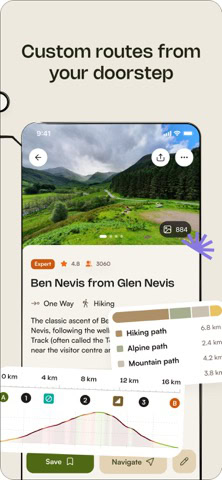
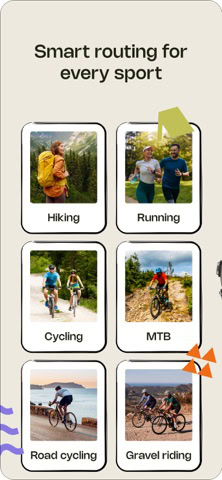
Komoot has become one of the most popular outdoor route-planning apps in Europe, and it is especially well regarded by hikers who want a clean, approachable interface without sacrificing useful navigation detail. Although it supports multiple outdoor activities, including cycling and running, it has earned a strong place among trail-planning tools because of how effectively it combines planning, guidance, and community insight.
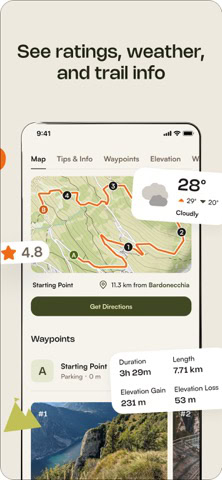
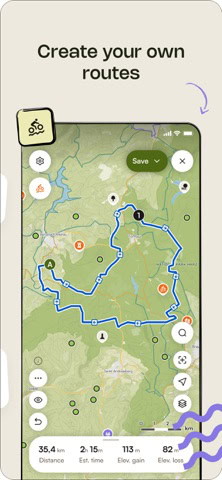
One of the biggest reasons hikers like Komoot is its usability. The app is designed to be intuitive from the start, with a route planner that makes it easy to understand what lies ahead. Surface type breakdowns, distance, estimated duration, and elevation data help users judge whether a trail fits their experience level and available time. For newer hikers, that makes route planning far less intimidating. For more experienced walkers, it adds speed and convenience.
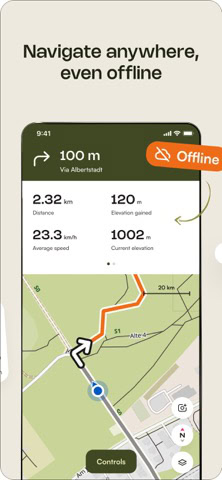
Komoot’s turn-by-turn navigation is one of its standout features. Rather than simply showing a line on a map, it actively guides users along trails, tracks, and footpaths in a way that feels much closer to car navigation, but adapted for outdoor movement. That adds confidence for beginners and can reduce hesitation at route splits, especially on long day hikes or unfamiliar trails.
The app also benefits from a strong community layer. Users can upload Highlights, which are shared notes, viewpoints, photos, and practical observations about particular spots on a route. This gives the platform a more personal and social feel than a plain map app, and it often helps hikers identify scenic sections, useful stopping points, or parts of a route worth extra time.
Offline use is available as well, with users able to download regions for navigation without signal, which is essential in rural and mountainous areas. This makes Komoot practical not just for route inspiration at home, but as a real companion on the trail. Its strong European coverage has been a major reason for its popularity, especially in countries with dense walking networks and well-marked trails.
Komoot is best for hikers who want clear navigation, easy route planning, and a friendly interface that works well for both preparation and on-trail guidance. It is particularly strong in Europe, where its data and route suggestions are most consistent.
Its limitations are mainly geographic and commercial. Since March 2025, new users need an active Komoot Premium subscription, priced at around €4.99 (£4.30 / $5.80) a month or roughly €60 (£52 / $70) a year, to unlock offline maps, turn-by-turn navigation, and syncing routes to devices such as Garmin or Wahoo units. Hikers who bought a one-off regional map before that change keep their access without a subscription, but trail coverage in some non-European regions can still feel weaker than Komoot’s performance in its core markets.
Even so, Komoot remains one of the most user-friendly and practical walking apps available, especially for walkers who value ease of use, route clarity, and strong trail support across Europe.


App availability and prices vary by country. Some of these may not appear in your local App Store or Google Play.

CoMaps / Organic Maps
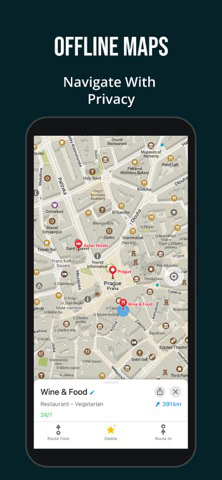
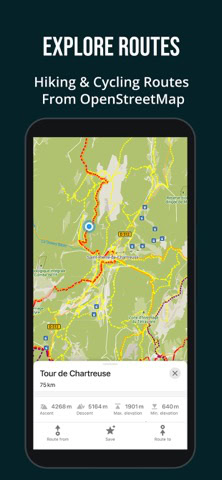
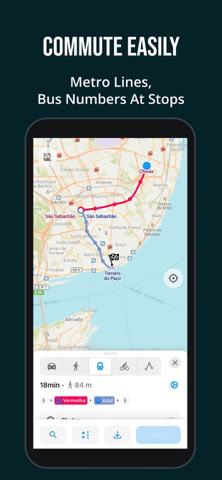
CoMaps and Organic Maps occupy a distinctive place in the hiking app landscape because they focus on privacy, simplicity, and offline reliability rather than commercial add-ons or social features. For hikers who want a lightweight, dependable, and data-conscious navigation tool, they offer a very different experience from the more mainstream navigation apps.
CoMaps is the newer arrival, launched in mid-2025 as a fork of Organic Maps, which itself is a respected open-source project. Both are built around the same general philosophy: give users strong map functionality without intrusive tracking, heavy advertising, or unnecessary background data collection. That approach makes them especially appealing to hikers who are privacy-conscious or who simply want a clean, efficient tool that does one job well.
Both apps are powered by OpenStreetMap data, which gives them broad global reach. This can be a major advantage in regions where bigger commercial platforms have thinner trail libraries or weaker local detail. Because OpenStreetMap is community-driven, these apps often include smaller footpaths, local tracks, and route details that may be missing from more curated platforms. That makes them especially useful for travellers hiking outside the most heavily documented areas.
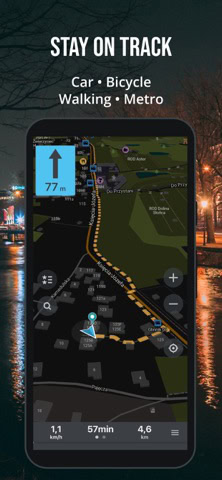
Their biggest operational strength is that they are offline-first by design. Users can download entire countries or regions and use them without needing any mobile signal at all. Combined with GPS positioning, this makes them highly practical for mountain areas, rural landscapes, and long-distance hikes where connectivity is unreliable or expensive. For many hikers, that reliability is more important than flashy extras.
Battery efficiency is another underrated strength. CoMaps and Organic Maps are relatively lightweight and fast, which means they can be kinder to phone battery life than some larger, more feature-heavy apps. On a long hike or multi-day trek, that matters.
What they do not offer is the broader ecosystem found in premium competitors. They lack the richer trail reviews, social sharing, user photos, route commentary, and specialist overlays that make apps like AllTrails or Gaia GPS feel more feature-rich. The interface is also simpler, which some users will appreciate and others may find a little basic.
These apps are best for hikers who want free, privacy-respecting offline maps and simple GPS navigation, especially when travelling globally or venturing into places where mainstream commercial alternatives are less useful.
Their limitations are tied to that simplicity. They are excellent map tools, but not full outdoor communities or advanced route-planning ecosystems. For many hikers, they work best as a reliable core navigation layer used alongside another discovery or trail-review app.
Even so, CoMaps and Organic Maps remain some of the most dependable and refreshingly straightforward outdoor navigation apps available, particularly for hikers who value privacy, offline access, and efficient performance over premium extras.


App availability and prices vary by country. Some of these may not appear in your local App Store or Google Play.
OS Maps
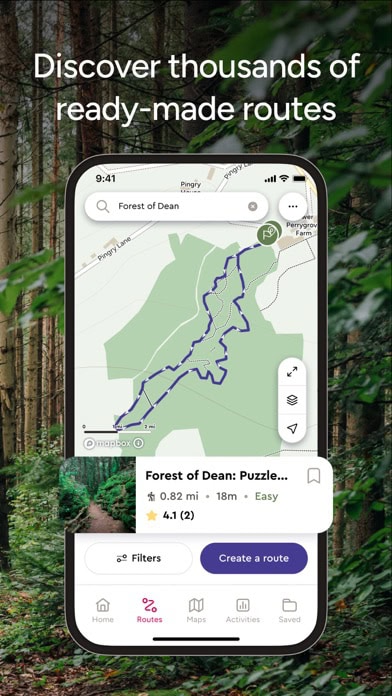
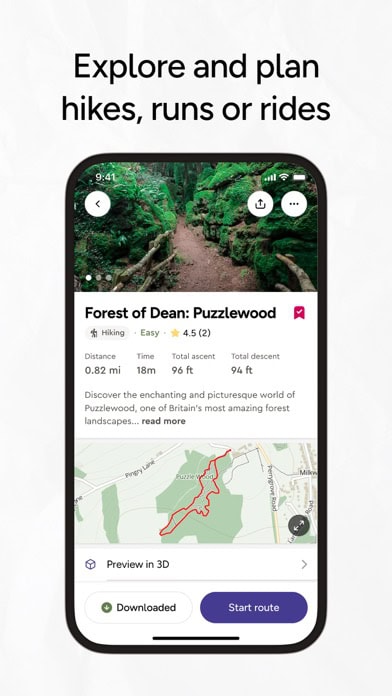
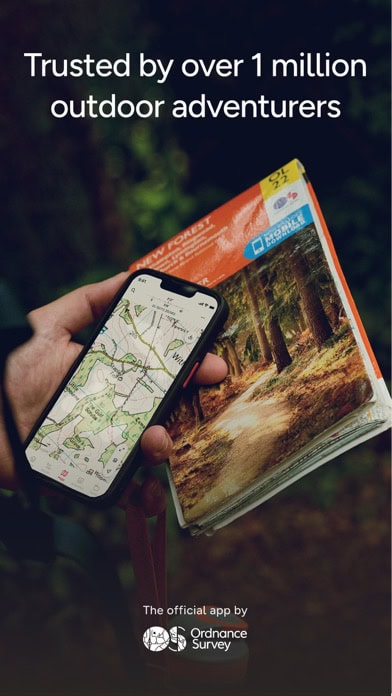
OS Maps is the definitive hiking app for the United Kingdom, bringing the country’s most trusted paper mapping tradition into digital form with exceptional accuracy and detail. Produced by the Ordnance Survey, Britain’s national mapping agency, it gives hikers access to the same mapping standards that generations of walkers have relied on across England, Scotland, and Wales.
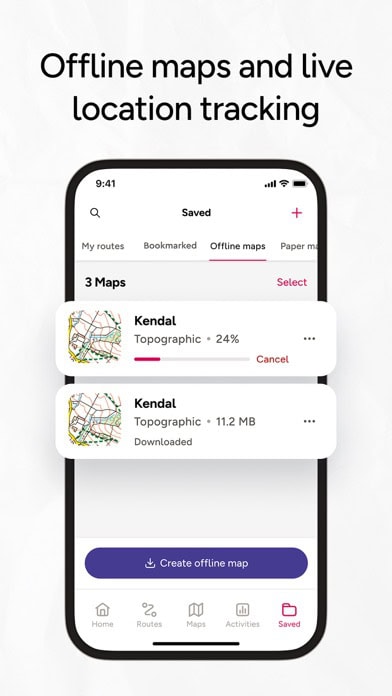
What makes OS Maps so valuable is the precision of its cartography. The app includes the famous Explorer and Landranger map series, which show footpaths, bridleways, contour lines, access land, walls, buildings, water features, and rights of way in extraordinary detail. For hiking in the UK, very few tools come close to this level of route clarity and legal access confidence. In practical terms, it is not just a navigation app. It is a digital version of the country’s most authoritative walking maps.
This makes OS Maps especially important in a region where public access rules matter and where trails often depend on legal rights of way rather than obvious marked routes. Being able to see exactly where public access exists can help hikers avoid trespassing, navigate with more confidence, and understand how the countryside is structured.
The app also adds modern features to a traditional mapping base. Users can plan routes, calculate distance and elevation, follow hikes using GPS tracking, and in some cases use augmented reality tools to identify nearby peaks and landmarks. That blend of classic cartographic trust and contemporary convenience is a large part of the app’s appeal.
Offline downloads are another important strength. Remote moorland, mountainous areas such as Snowdonia, the Lake District, the Cairngorms, or Dartmoor, and coastal walks can all involve weak or patchy signal, so being able to carry official mapping offline is a major advantage. The app is also regularly updated to reflect rights-of-way changes and access information, which is especially valuable in the UK context.
OS Maps is best for hikers exploring the United Kingdom who want the most accurate, official, and legally useful maps available, whether they are planning a short countryside ramble or a long-distance national trail.
Its main weakness is obvious. Coverage outside the UK is minimal or irrelevant, so this is not a global hiking app. A subscription is also required to unlock the most useful mapping tiers, which may limit value for occasional users.
Even with those limitations, for UK hiking, OS Maps remains one of the most authoritative and useful walking apps available, combining national-standard mapping with strong digital route-planning and navigation tools.



App availability and prices vary by country. Some of these may not appear in your local App Store or Google Play.
Mapy.com
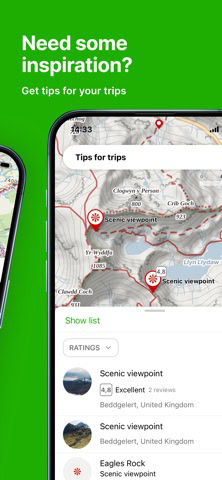
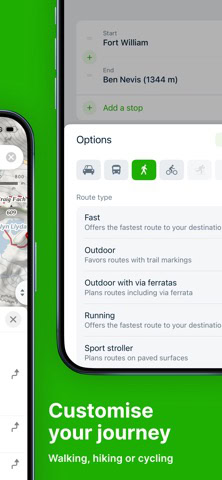
Mapy.com is one of the most quietly impressive apps available, particularly for users who value clear map design, strong offline performance, and excellent detail in Central Europe. Originally developed in the Czech Republic, it has built a loyal following by offering maps that feel highly readable and practical, with a presentation style closer to well-designed printed cartography than a cluttered digital interface.
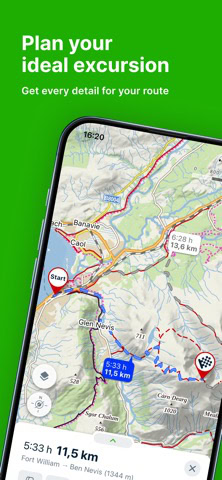
One of its strongest qualities is visual clarity. Trails, contour lines, landmarks, shelters, transport stops, and points of interest are all presented in a way that feels clean, well balanced, and easy to interpret, which is especially valuable when planning routes or making quick decisions on the move. For many users, that map readability is one of the app’s biggest advantages over some larger competitors.
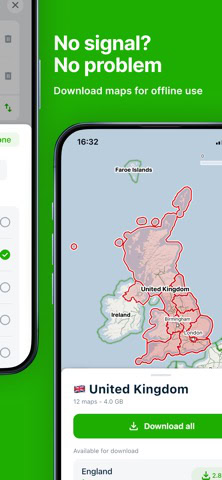
Mapy.com also performs very well offline. Users can download entire countries for navigation without signal, which makes it highly useful for mountain regions, forests, remote villages, and longer multi-day walks. Combined with GPS tracking and route planning, this makes it practical not just for day hikes but for more involved trekking trips where reliable access to maps matters.
Another major strength is local detail. In Central Europe, especially in countries such as the Czech Republic, Slovakia, and Poland, Mapy.com is widely respected for the accuracy of its hiking routes, local trails, shelters, contour mapping, and even seasonal route information such as ski paths. This level of detail gives it a local depth that bigger global apps do not always match.
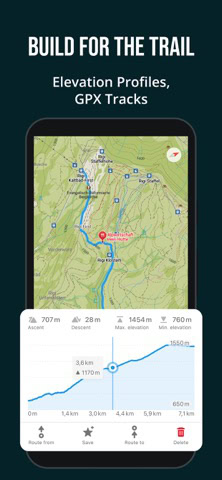
The app also includes elevation profiles, route-planning tools, accommodation listings, transport stops, and practical points of interest, which means it can support the logistics of a trip as well as the navigation itself. For hikers travelling between trailheads, towns, and overnight stops, that broader usefulness can be a real advantage.
In recent updates, Mapy.com has expanded its coverage beyond Europe, with growing mapping support in parts of Asia and South America. That makes it increasingly attractive to travellers looking for a global app that still retains a local-map feel rather than a purely standardised international design.
Mapy.com is best for hikers who want strong offline maps, excellent clarity, and particularly reliable trail support in Central Europe, though it is becoming more useful well beyond that core region.
Its main limitation is that global coverage, while improving, is still uneven in some remote areas, and in those places it may not yet match the route richness of more established worldwide hiking communities like AllTrails or Wikiloc.
Even so, Mapy.com remains one of the most elegant and dependable walking and mapping apps available, especially for users who want a map that is both highly usable and highly informative.


App availability and prices vary by country. Some of these may not appear in your local App Store or Google Play.
Best for finding routes the airlines do not sell as a single ticket. Combines carriers to bring the fare down.
Search flightsBest for anyone whose home plan charges by the megabyte abroad. Pay a fixed price up front.
Check eSIMsBest if you would rather not work out the transport on arrival. Book it now and forget it.
View transfersStrava Routes
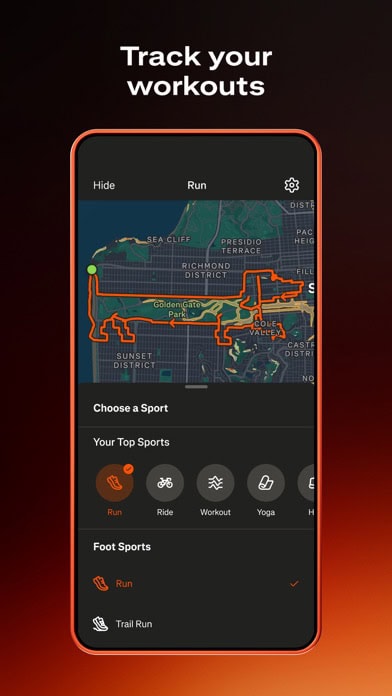
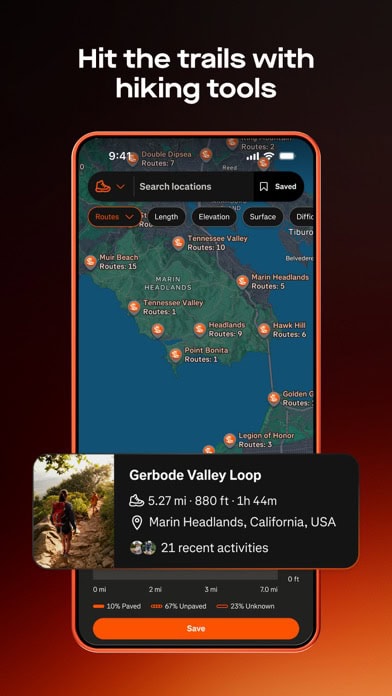
Strava has evolved far beyond its origins as a fitness tracking app and now plays a meaningful role in the hiking app landscape, particularly through its Suggested Routes and route-building tools. While it is still best known among runners and cyclists, hikers have increasingly adopted it as a way to discover real-world trails based on actual activity data rather than curated route lists.
What makes Strava different from the other apps on this list is how it sources its routes. Instead of relying purely on uploaded trail guides, it uses millions of recorded activities from users worldwide to identify popular paths, loops, and connections. This means the routes you see are often those that people genuinely use, rather than those that have simply been documented. For hikers exploring new areas, especially near cities or well-travelled regions, this can reveal practical and reliable walking routes quickly.
The route-building tools are straightforward and flexible. Users can filter routes by distance, elevation gain, terrain type, and estimated effort, allowing them to match a hike to their fitness level or available time. Because the routes are based on real activity data, they often reflect realistic walking conditions, including commonly used paths and safe connections between trails.
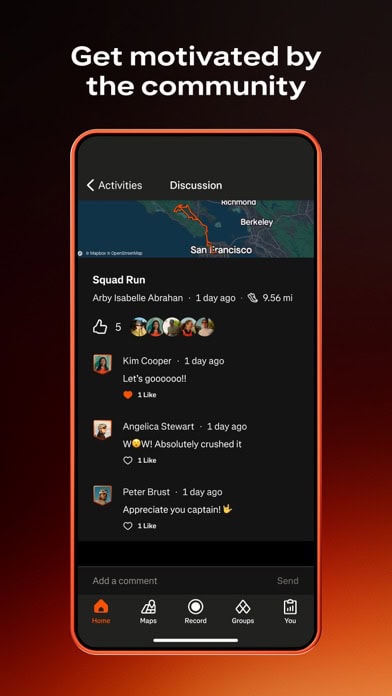
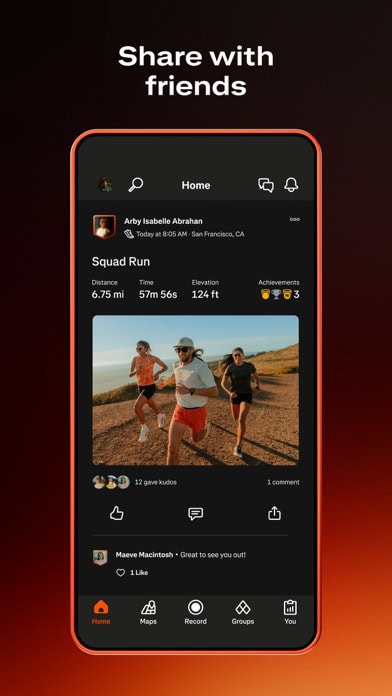
Another strength is the strong community element. Strava users regularly upload activities, photos, and performance data, creating a highly interactive environment. While this is often framed in terms of fitness, it can also motivate hikers to explore more routes, try new areas, and build consistency over time. The presence of segments, achievements, and personal records adds a gamified layer that appeals to those who enjoy tracking progress.
Strava also integrates seamlessly with a wide range of devices. It works well with GPS watches, smartphones, and other wearable technology, making it easy to record hikes, analyse performance, and review routes afterwards. For hikers who already use Strava for running or cycling, this makes it a convenient all-in-one activity tracker.
Offline support is available, particularly when routes are synced to compatible devices, although it is not as deeply developed for hiking-specific navigation as some specialist apps. As a result, Strava works best as a complementary tool rather than a standalone navigation solution in remote environments.
Strava Routes is best suited to hikers who want to combine trail discovery with fitness tracking and community engagement, particularly in areas where activity data is dense and routes are well established.
Its limitations are clear in more remote regions. Trail detail can be less precise where fewer users have recorded activities, and some of the more advanced route-planning features are locked behind a subscription. It is also less focused on topographic mapping than dedicated navigation apps.
Even so, Strava remains a highly flexible and motivating tool, especially for hikers who want to track their progress while discovering routes based on real-world usage rather than static listings.



App availability and prices vary by country. Some of these may not appear in your local App Store or Google Play.
PeakVisor
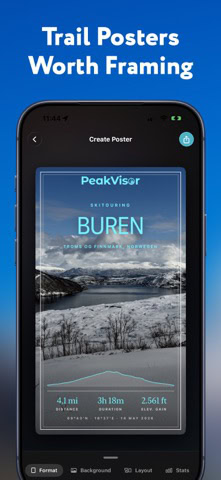
PeakVisor is a unique addition to the hiking app ecosystem, focusing not on navigation alone but on enhancing how hikers understand and experience mountain landscapes. Rather than acting as a traditional route-finding tool, it works as an intelligent companion that adds context, education, and visual clarity to what you see around you.
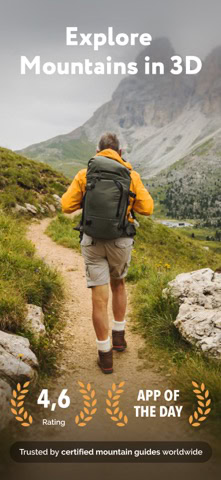
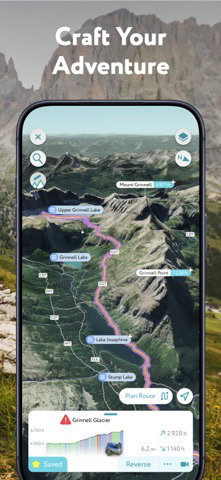
Its defining feature is augmented reality peak identification. By pointing your phone at a mountain range, PeakVisor overlays the names, elevations, and positions of visible peaks directly onto your screen. This transforms the experience of being in the mountains from simply observing scenery to actively interpreting it. For hikers in regions such as the Alps, Rockies, Andes, or Himalayas, this can be a genuinely enriching feature.
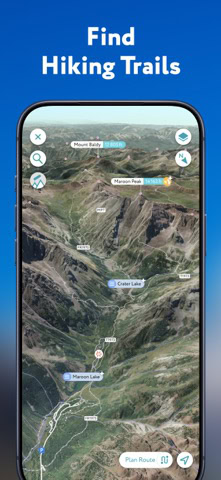
The app is supported by highly detailed 3D panoramic maps, which model terrain with impressive accuracy. These maps cover more than one million peaks worldwide, allowing users to explore landscapes virtually before setting out and then recognise them in real life during the hike. This combination of preparation and real-time identification adds depth to any mountain journey.
PeakVisor also supports offline use, which is essential in high-altitude or remote environments. Users can download regions in advance, ensuring that the augmented reality features and mapping tools continue to work without a data connection. This makes it practical as a companion tool even on more serious hikes.
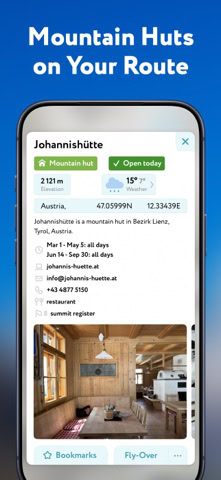
Although it is not primarily a navigation app, it still includes useful trekking features. These include trail maps, hut locations, cable car information, and basic route support, which can help with planning and orientation. However, its real strength lies in enhancing awareness rather than guiding movement step by step.
PeakVisor is best suited to hikers who enjoy mountain environments and want to identify peaks, understand terrain visually, and deepen their connection with the landscape. It is particularly valuable for alpine travel, where visual identification plays a larger role in the experience.
Its limitations come from its specialised focus. It is not a full navigation solution and works best when paired with another hiking app such as Gaia GPS or AllTrails. Some features also require a premium upgrade, which may limit access for casual users.
Even with those limitations, PeakVisor stands out as one of the most engaging and educational outdoor tools available, turning a simple view into a detailed understanding of the mountains around you.


App availability and prices vary by country. Some of these may not appear in your local App Store or Google Play.
FarOut
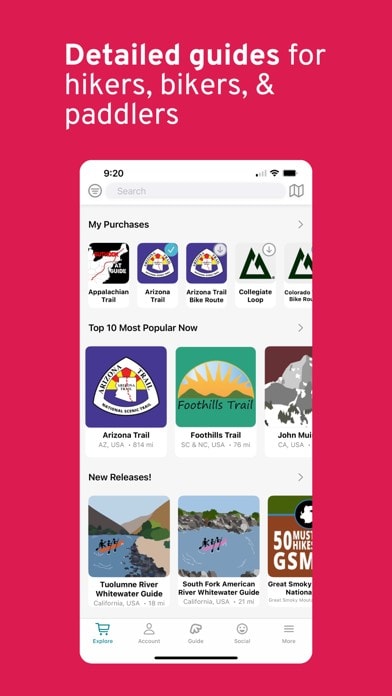
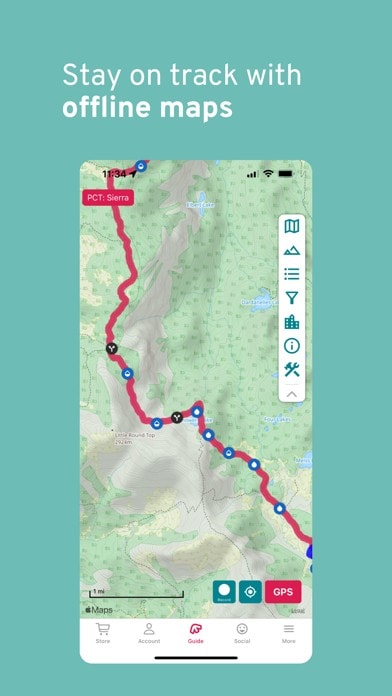
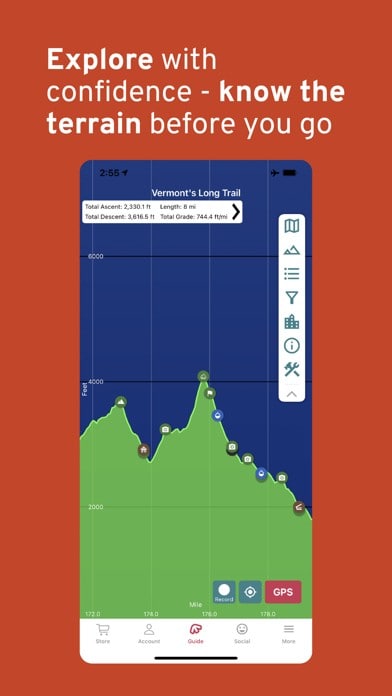
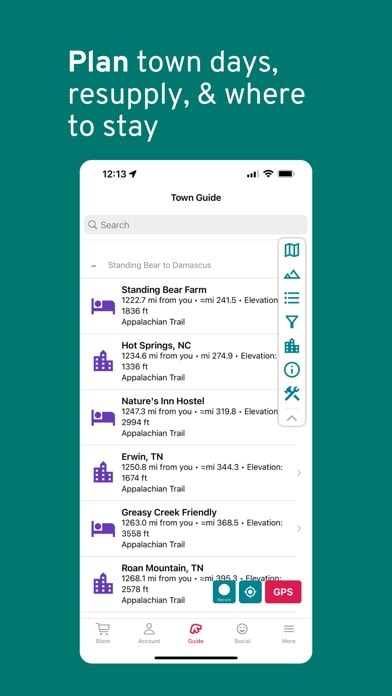
FarOut is the app that most seasoned thru-hikers reach for the moment they commit to a long-distance trail, and it occupies a different niche from the general-purpose apps above. Rather than trying to cover every hiking trail on the planet, it focuses specifically on major thru-hikes such as the Pacific Crest Trail, Appalachian Trail, and Continental Divide Trail, along with dozens of other long-distance routes worldwide. For anyone planning a multi-week or multi-month trek, that narrow focus is exactly what makes it so valuable.
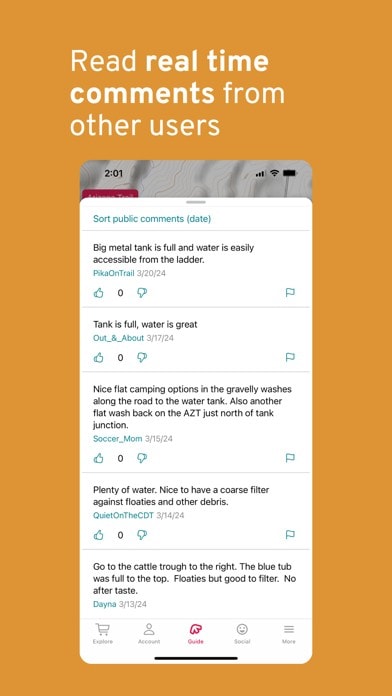
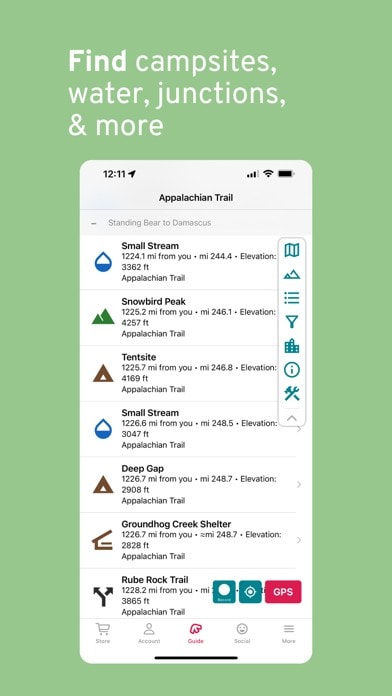
Its core strength is an enormous, constantly updated database of waypoints along each trail. Water sources, campsites, road crossings, resupply points, and shelters are all mapped in detail, and hikers can add live comments on current conditions, such as a spring running dry or a cache being restocked. That crowdsourced layer turns a static trail guide into something closer to a real-time conversation between everyone currently on the trail.
FarOut works fully offline once a guide has been downloaded, with GPS positioning that shows your exact location against the trail line and nearby waypoints even without signal, which matters given how much of a thru-hike passes through areas with no mobile coverage at all. For hikers managing weeks of food and water planning at a time, that dependable offline detail often matters more than flashy extras.
FarOut is best suited to hikers tackling a specific long-distance trail rather than those browsing for a single day hike. It is less useful as a general discovery tool, since its guides are built around named thru-hikes rather than open-ended trail search.
Its limitations follow from that same focus. Coverage is excellent on the trails it supports but nonexistent everywhere else, and each guide is unlocked individually or through an all-access subscription, so occasional day hikers are unlikely to get much value from it.
Even so, for anyone setting out on the PCT, AT, CDT, or another major thru-hike, FarOut remains the closest thing the long-distance hiking community has to an essential app, trusted by the vast majority of thru-hikers to plan each day’s water, camp, and resupply.

App availability and prices vary by country. Some of these may not appear in your local App Store or Google Play.
Cairn
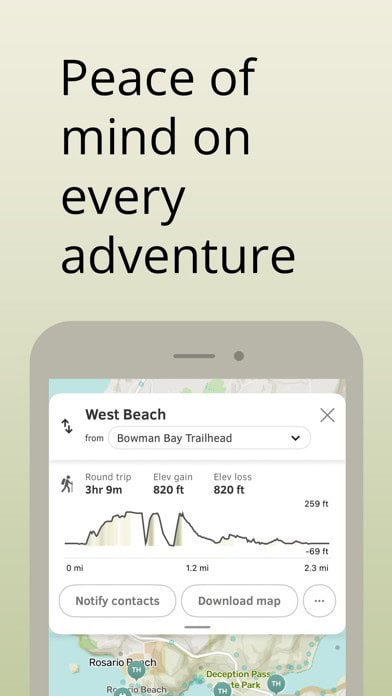
Cairn takes a different approach from the trail-discovery and navigation apps covered above by focusing purely on solo-hiker safety rather than route finding. It is built around one simple question: if something goes wrong on the trail, will anyone know where to look? That focus makes it a natural companion to the safety habits set out later in this guide.
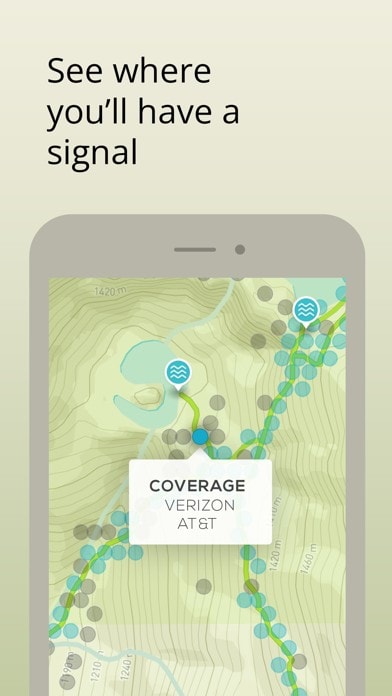
Its standout feature is a crowdsourced cell coverage map, built from other users’ real signal readings along thousands of trails. Before setting out, hikers can see roughly where they are likely to lose signal entirely, which helps with deciding when to send a last message or agree an expected check-in time with someone at home.
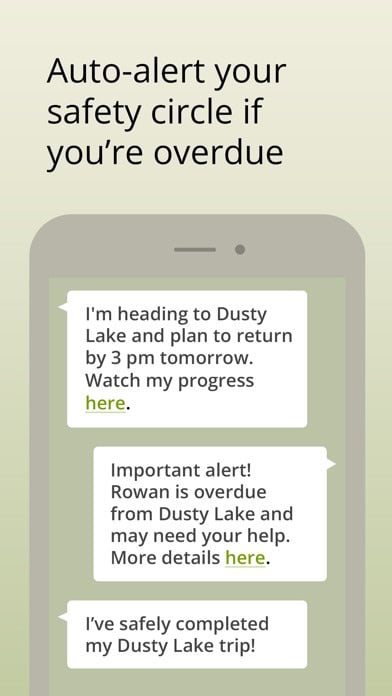
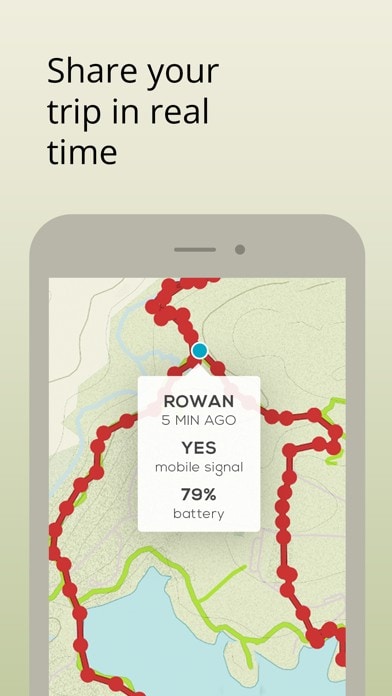
Cairn also offers live location sharing with a chosen safety circle, who can follow progress on a map without needing the app themselves, along with automatic overdue alerts if a hiker has not checked in by an expected return time. For solo hikers especially, that combination adds a genuine safety net beyond what a standard mapping app provides.
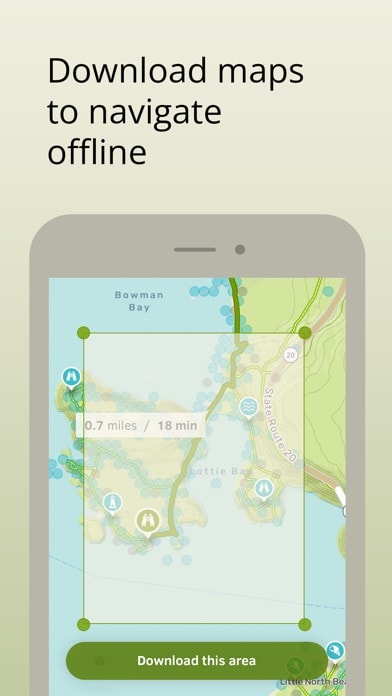
The app supports offline topographic maps and basic trail statistics such as distance, elevation, and estimated time, though it is not designed to replace a dedicated discovery or navigation app. It works best as an added safety layer used alongside a tool like AllTrails or Gaia GPS, rather than as a hiker’s only app.
Its main limitation is scope. Cairn is not trying to be a full route-planning platform, so hikers looking for trail reviews, photos, or detailed topographic layers will still need another app for that side of the trip.
Even so, for solo hikers who want a straightforward way to flag cell coverage gaps and let someone know if a hike is taking longer than expected, Cairn is one of the most genuinely useful safety-focused apps available.

App availability and prices vary by country. Some of these may not appear in your local App Store or Google Play.
Comparison Table of Key Features
Choosing between the best hiking apps becomes much easier when you can see their strengths side by side. Each app focuses on a different part of the outdoor experience, from trail discovery and navigation to fitness tracking and landscape understanding. The table below highlights how they compare across the features that matter most to hikers.
| App | Key Strength | Offline Maps | Community Features | Best For | Regional Strength |
|---|---|---|---|---|---|
| AllTrails | 500,000+ global trails with powerful filters | Yes (Premium) | Strong reviews, photos, trail reports | Trail discovery and planning | Global |
| Wikiloc | 38M+ user-uploaded routes | Yes | Very strong, multilingual community | Exploring lesser-known regions | Global, especially remote areas |
| Gaia GPS | Advanced topographic maps and overlays | Yes | Limited | Backcountry navigation and route planning | North America, global wilderness |
| Komoot | Turn-by-turn navigation and route planning | Yes (Paid regions) | Highlights, photos, tips | Easy navigation and planning | Europe |
| CoMaps / Organic Maps | Privacy-first, offline navigation | Yes | None | Simple, reliable offline maps | Global (OpenStreetMap-based) |
| OS Maps | Official Ordnance Survey mapping | Yes (Premium) | Limited | Accurate UK hiking routes | United Kingdom |
| Mapy.com | Clear map design with strong local detail | Yes | Moderate (POIs, shelters) | Offline navigation with clarity | Central Europe |
| Strava Routes | Real activity-based route suggestions | Partial | Strong fitness community | Fitness tracking and route discovery | Urban and popular trails |
| PeakVisor | AR peak identification and 3D terrain | Yes | Minimal | Mountain exploration and learning | Global mountain regions |
| FarOut | Detailed waypoints for major thru-hikes | Yes | Strong, live hiker comments on conditions | Long-distance thru-hiking | Supported thru-hikes worldwide |
| Cairn | Crowdsourced cell coverage map and overdue alerts | Yes | Crowdsourced signal data and safety circle sharing | Solo-hiker safety and check-ins | Global, strongest where crowdsourced data exists |
This comparison makes one thing clear. No single hiking app dominates every category, because each is built with a different priority in mind. AllTrails and Wikiloc excel at discovery, giving access to vast numbers of routes and real-world feedback. Gaia GPS and Komoot focus more on navigation, helping hikers move confidently through complex terrain. Tools like OS Maps and Mapy.com provide regional precision, while PeakVisor enhances the experience by helping you understand the landscape itself.
For most hikers, the best approach is not choosing one app, but combining them. Using a discovery app, a navigation app, and a specialist tool together creates a far more complete and reliable outdoor setup, ensuring you are covered for planning, safety, and exploration wherever you go.
Hiking App Safety Tips
Using hiking apps effectively requires more than simply downloading them. These tools can significantly improve safety, but only when used with proper preparation and realistic expectations. Treating them as support systems rather than guarantees is key to getting the most from them.
One of the most important steps is preparing offline access in advance. Downloading maps, routes, and relevant data before leaving home ensures you are not dependent on mobile signal, which can disappear quickly in forests, valleys, and mountainous terrain. Many hikers underestimate how quickly connectivity can drop, and preparing for that in advance is essential.
Battery management is another critical factor. GPS tracking, screen use, and map rendering all consume power quickly. Carrying a portable charger and using battery-saving settings can extend your device’s usability significantly, especially on longer hikes or multi-day trips. Even a well-prepared route is of little use if your device runs out of power halfway through the day.
It is also important to maintain traditional backups. While these tools are powerful, they should be supported by basic navigation tools such as a paper map and compass, particularly in remote or complex terrain. These provide a fallback in case of device failure, damage, or unexpected conditions.
Sharing your plans adds another layer of safety. Many apps allow users to send routes or live locations to trusted contacts, which ensures someone else knows where you are expected to be. For solo hikers, this can be one of the most effective safety measures available.
Environmental awareness remains just as important as digital preparation. Checking weather conditions before setting out, understanding daylight hours, and recognising terrain risks are all essential habits. While some apps include weather overlays, they should not replace careful planning and common sense.
Finally, it is wise to avoid relying on a single tool. Combining different apps, such as a navigation app like Gaia GPS with a discovery platform like AllTrails, provides redundancy and broader coverage, reducing the risk of missing critical information.
When used properly, these tools become powerful safety companions. When used carelessly, they can create a false sense of security. The difference lies in preparation, awareness, and understanding their limitations.
Best for solo travellers and anyone watching the budget. Dorm beds and private rooms in the same search.
Browse hostelsBest if you have ever given up on a claim. AirHelp checks whether the flight qualifies and pursues it for you.
See the benefitsBest if your room is not ready yet. Left luggage booked in advance, so you are not hunting for a locker.
Check storageUsage Rules & Legal Restrictions
While these apps make exploring the outdoors easier, they do not override the legal and ethical frameworks that govern access to land. Understanding these rules is essential for responsible hiking, particularly when travelling across different countries where regulations can vary significantly.
Land access laws are one of the most important considerations. In some regions, such as Scotland, hikers benefit from broad access rights under Right to Roam legislation, allowing them to walk across large areas of land provided they behave responsibly. Those rights, and the responsibilities that come with them, are set out in the Scottish Outdoor Access Code. In contrast, other areas, particularly parts of North America and continental Europe, require hikers to stay on designated trails or avoid private property entirely. Apps such as OS Maps and others with land overlays can help identify these boundaries, but the responsibility ultimately remains with the user.
Environmental protection rules are equally important. Many hiking areas fall within national parks, conservation zones, or protected habitats, where access may be restricted during certain times of year. For example, wildlife breeding seasons, fragile ecosystems, or erosion risks can lead to temporary trail closures or permanent restrictions. While some apps highlight these areas, it is still essential to follow local signage and official guidance.
Drone usage is another area where restrictions are increasing. While these apps may show scenic viewpoints, many parks and protected areas prohibit drone flights due to safety, noise, and wildlife disturbance concerns. Hikers who carry drones should always check local regulations before using them.
There are also considerations around personal data. Some apps collect location history, route data, and activity records, which may be stored or shared depending on the platform. Privacy-focused apps such as CoMaps or Organic Maps avoid this, while others offer adjustable privacy settings. Users should review these settings carefully and decide how much information they are comfortable sharing.
Legal compliance also extends to behaviour on the trail. Littering, camping restrictions, fire regulations, and trail etiquette rules all vary depending on location. Apps can support awareness, but they do not replace responsibility.
By combining digital tools with a clear understanding of local rules, hikers can ensure they respect landowners, protect natural environments, and avoid unnecessary legal issues, while still enjoying the benefits that modern navigation apps provide.
App Availability by Region
The strength of these apps varies by geography, making it important to know which options perform best in different parts of the world.
In North America, AllTrails and Gaia GPS dominate. AllTrails is popular for its vast trail library, while Gaia excels in backcountry navigation.
In Europe, Komoot is a top choice thanks to its intuitive route planning and strong coverage in Germany, Austria, and beyond. OS Maps is indispensable in the UK, providing official Ordnance Survey data. Mapy.com offers outstanding coverage across Central Europe, especially the Czech Republic, Slovakia, and Poland.
For South America, Wikiloc leads with community-uploaded trails, making it invaluable in regions where official mapping is limited. AllTrails also performs well in more tourist-heavy destinations like Patagonia.
In Asia, coverage is more varied. Wikiloc again offers strength in less-documented areas, while Komoot and Mapy.com are expanding into regions such as Japan and Nepal.
For mountain ranges worldwide, PeakVisor adds value by identifying peaks in the Andes, Alps, Rockies, and Himalayas.
For global travellers, a combination of apps is often best: AllTrails or Wikiloc for discovery, paired with Gaia GPS or Komoot for navigation, and PeakVisor for mountain identification.
By selecting apps based on regional strengths, hikers ensure they get accurate, safe, and enjoyable guidance no matter where their adventures take them.

Rupert’s Handy Travel Tips
Using these apps wisely can turn a tough trek into a smooth adventure. These pro tips will help your apps act like real trail companions, not just digital backups:
- Pair apps for full coverage – Use a trail discovery app like AllTrails alongside a navigation app such as Gaia GPS; add PeakVisor in mountainous regions.
- Download in advance – Save routes and offline maps before you leave home so you’re covered when signal drops.
- Customise map layers – In Gaia GPS or Mapy.com, enable satellite imagery, terrain shading, and marked hiking routes for clearer decisions.
- Plan for power – Switch on battery-saving modes, dim the screen, and carry a power bank; GPS-heavy use drains phones fast.
- Join the community – Upload trail reports to AllTrails or Wikiloc to help others and build your own adventure logbook.
- Test before big trips – Practice locally so the interface feels second nature before you head to the Andes or Himalayas.
Want to meet the reindeer behind our travel tips? Find out more in our page Who is Rupert?.



Further Reading & Related App Guides
Want to prepare for every part of your journey? These related guides will help you stay informed, connected, and ready to travel with confidence.
Good navigation rarely stops at a single tool. Pairing your hiking app with a dedicated offline map app gives you a stronger backup once signal drops, while a digital compass helps you stay on course when the trail becomes harder to follow. On longer days out, it also helps to know where the nearest facilities are, and our toilet finder guide covers exactly that.
If you want to compare a specific option in more depth, our AllTrails review takes a closer look at the trail-discovery platform named throughout this guide. It is also worth checking the forecast with a reliable weather app before setting off, and protecting the wider trip with travel insurance in case plans change unexpectedly. Together, these resources round out the practical side of hiking apps, covering navigation, connectivity, safety, and planning.
Frequently Asked Questions
Do I really need a hiking app if I have a paper map?
While traditional maps are still useful, hiking apps offer features paper can’t match, including GPS positioning, offline downloads, and real-time trail reports. Many hikers use both together for maximum safety.
Which hiking apps work best without internet?
Several trekking apps are built for offline use. Gaia GPS, OS Maps, Mapy.com, and CoMaps/Organic Maps allow you to download full regions for offline navigation. Just remember to download before you set out.
Are hiking apps free, or do I need to pay?
Most hiking trail apps offer free versions with core features like route browsing or GPS tracking. Premium subscriptions unlock extras such as offline maps, advanced filters, or specialist overlays. For serious hikers, the upgrade is often worth it.
Can I use hiking apps internationally?
Yes. Apps like AllTrails, Wikiloc, and PeakVisor have strong global coverage, making them ideal for international travel. Others, like OS Maps, are more region-specific but excel where available. Always check app coverage in your destination before you go.
Are hiking apps safe for sharing my location?
Most outdoor apps have privacy settings that let you control what’s shared. If you’re concerned, choose privacy-first options like CoMaps or adjust sharing to “private” in commercial apps. Location sharing with trusted contacts can be a safety benefit on longer hikes.